Use an Orb to move a Libae Equipment Skill safely
Use an Orb on two eligible pieces of the same equipment type, such as cape to cape. The donor supplies the Equipment Skills and is consumed in the transfer. Choose a recipient you can wear, with sockets you plan to use, before giving up the donor.
Updated 2026-11-21 · GMS v272.3.0
What to do
Get an Orb and set aside two pieces of the same type
Orbs come from Proving Fields monsters and Infinite Dungeon: Battlesim. Compare two pieces of one equipment type, such as two capes. The donor carries the Equipment Skills you want to keep using. Pick a recipient you can equip with an open socket layout you can use.
Spend an Orb once the recipient solves a real problem
Start with your current worn set. If it already gives you the needed skill lines, keep it equipped while you collect a suitable target. Use the Orb when the new piece can keep the skill coverage you need and gives you a socket you can fill or another concrete upgrade. Check the recipient’s current Star Force, Potential, and Bonus Stats separately, especially if the donor is already enhanced. The community FAQ discussion reports that the donor’s Star Force and Potential stay behind. Budget those upgrades separately for the recipient.
Which piece goes on which side Role Example Check before confirming Donor A cape with the Equipment Skills you need Read the lines and be willing to give up the cape. Recipient An equippable cape with better usable sockets Check the slot, class, and actual socket colors. Open the Orb interface and read the confirmation
Double-click the Orb in your inventory or open the Orb section of Enhance. Select the equipment that supplies the skill and the same-type piece you want to keep. Check the two selections and confirm only when the piece you want to wear is the recipient. Keep both pieces if you still need the donor for another setup.
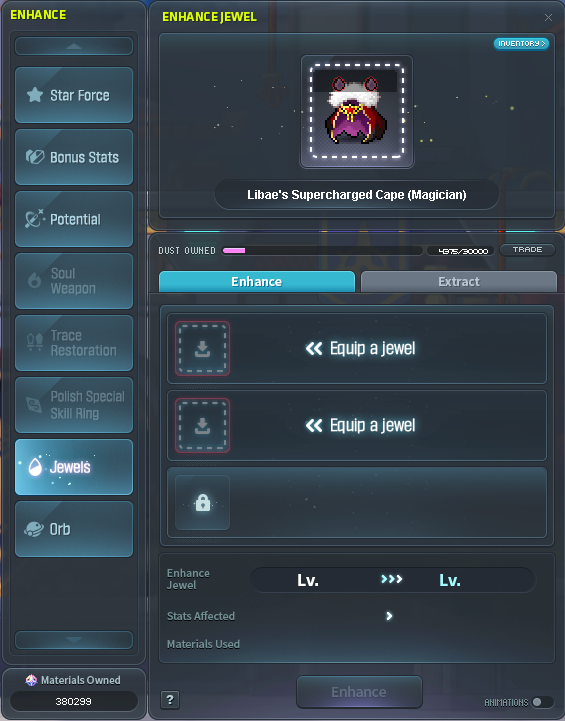
Nexon’s Enhance screen with the Orb tabEquip the recipient and inspect the transferred lines
Check the recipient’s tooltip before swapping it into your loadout. Then equip it, check the skill totals on the active set, and fit a matching jewel if that was the reason for the transfer.
How to tell it worked
The recipient’s tooltip shows the intended Equipment Skills and you can wear it. The donor has been removed from inventory.
If you’re still stuck
If a piece can’t be selected, check that the two items are eligible and share the same equipment type. If the screen shows the socketed piece getting removed or you’re unsure which item will survive, cancel and reselect. Keep the current skill piece in use while looking for a better recipient.